Imagine your computer struggling to run a demanding game or handle complex calculations. The CPU temperature spikes, the fan roars loudly, and the system crashes or displays the dreaded blue screen. These issues not only disrupt your workflow or gaming experience but can also cause permanent hardware damage. The culprit? Poor heat dissipation. The solution lies in selecting the right heat sink.
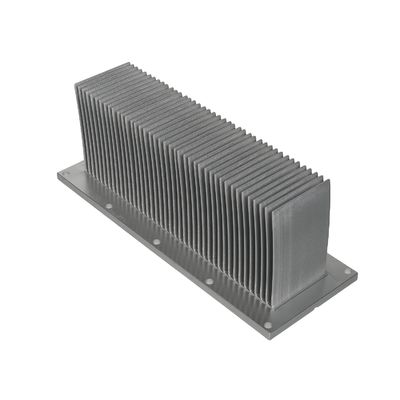
A heat sink, also known as a cooling fin, is a passive heat exchange device designed to transfer heat generated by electronic or mechanical components to a fluid medium—typically air or liquid coolant—which then dissipates the heat away, regulating the device's temperature. In computing, heat sinks are widely used to cool critical components such as CPUs, GPUs, chipsets, and memory modules. High-power semiconductor devices like transistors and optoelectronic components (e.g., lasers and LEDs) also rely on heat sinks, as their inherent heat dissipation capacity is insufficient to maintain safe operating temperatures.
How Heat Sinks Work: The Science Behind Efficient Cooling
The design principle of a heat sink is straightforward: maximize the surface area in contact with the cooling medium (usually air). A larger surface area allows more heat to be transferred. To achieve this, heat sinks employ several strategies:
-
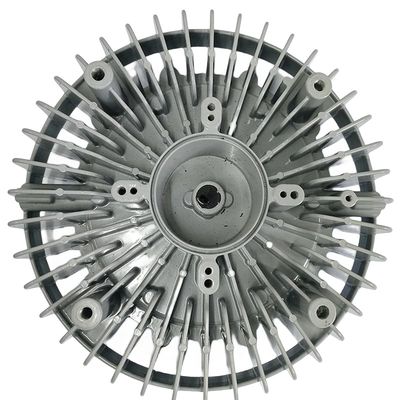
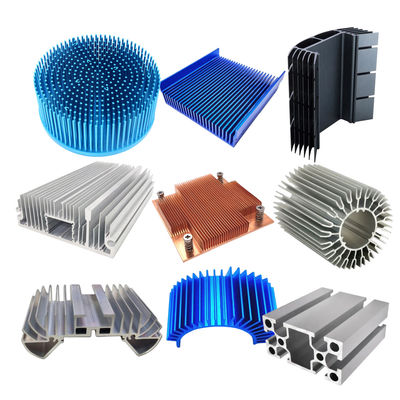
Increased Surface Area: Fins, pin arrays, or intricate geometric patterns expand the surface area, enhancing heat dissipation.
-
Material Optimization: High-thermal-conductivity materials like aluminum or copper are used to quickly transfer heat from the source to the heat sink's surface.
-
Improved Airflow: Fans or natural convection accelerate air movement across the heat sink, carrying heat away more efficiently.
Key Factors Affecting Heat Sink Performance
Heat sink performance depends on several variables. Understanding these factors helps in selecting the most suitable cooling solution.
-
Airflow Velocity: Higher airflow improves cooling, much like a breeze on a hot day. Adjustable-speed fans allow balancing cooling efficiency and noise levels.
-
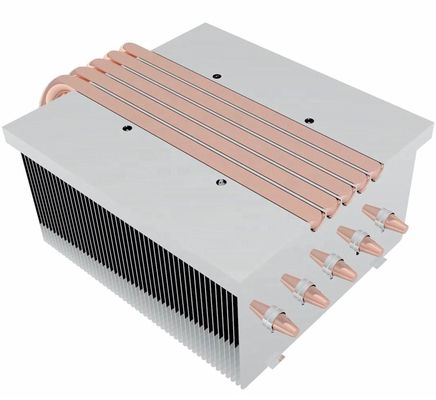
Material Choice: Aluminum heat sinks offer a lightweight, cost-effective solution for most applications. Copper provides superior thermal conductivity but at a higher cost, making it ideal for high-performance systems. Hybrid copper-aluminum designs strike a balance between performance and affordability.
-
Fin Design: Fin shape, spacing, and arrangement impact cooling. More fins with tighter spacing increase surface area but also raise air resistance, requiring careful optimization.
-
Surface Treatment: Techniques like anodizing improve corrosion resistance and surface roughness, boosting heat dissipation. Other treatments, such as sandblasting or nickel plating, enhance aesthetics and performance.
Installation Methods and Thermal Interface Materials
Proper installation and thermal interface materials are critical for efficient heat transfer between the component and the heat sink.
-
Mounting Options: Screw mounting ensures stability but requires more effort. Clip-on designs are easier to install but may loosen over time. Adhesive bonding suits specialized applications but demands careful selection of thermally conductive adhesives.
-
Thermal Interface Materials: Gaps between the heat sink and component hinder heat transfer. Thermal paste or pads fill these gaps, improving efficiency. Paste offers better performance but requires precise application, while pads are more user-friendly but less effective.
Types of Heat Sinks: Solutions for Every Need
Heat sinks vary by cooling medium and method:
-
Air Cooling: The most common type, using fans to force air over fins. Options include single-tower, dual-tower, and downdraft designs.
-
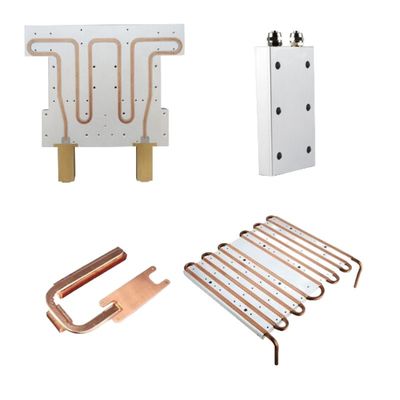
Liquid Cooling: Uses coolant (e.g., distilled water or glycol) to absorb heat, which is then expelled via a radiator. Offers high efficiency and low noise, ideal for high-end systems. Available as all-in-one or custom loops.
-
Liquid Nitrogen Cooling: For extreme overclocking, achieving ultra-low temperatures. Expensive and impractical for daily use.
-
Heat Pipe Cooling: Relies on phase-change principles for rapid heat transfer, often used in laptops and GPUs.
Choosing the Right Heat Sink
Consider these factors when selecting a heat sink:
-
TDP (Thermal Design Power): Ensure the heat sink's capacity exceeds your CPU/GPU's maximum heat output.
-
Case Compatibility: Verify dimensions to avoid installation issues.
-
Noise Levels: Opt for quiet fans or liquid cooling if noise is a concern.
-
Budget: Prices vary widely; balance cost with performance needs.
-
Usage Scenario: Gamers need robust cooling, while office users may prioritize silence.
Maintenance Tips for Longevity
Regular upkeep ensures optimal performance:
-
Dust Removal: Clean fins with a soft brush or compressed air.
-
Thermal Paste Replacement: Reapply paste periodically as it degrades over time.
-
Fan Inspection: Check for proper operation and replace faulty units.
-
Liquid Cooling Checks: Monitor for leaks and refresh coolant as needed.
Selecting the right heat sink is essential for system stability and longevity. By understanding the principles, types, and selection criteria, you can tailor an effective cooling solution to keep your device running smoothly and efficiently.

 Your message must be between 20-3,000 characters!